Parakeet
The fastest, most accurate
for English
meeting-notes.m4a1:00
Transcribed in
0.00s
Hold a key, talk, let go. Kaze turns your voice into clean, polished text in any app, privately and entirely on your Mac.
Free & open source · macOS 26 · Apple silicon
Today 9:12
Just landed back from Lisbon 🇵🇹
Dinner this week? I owe you pastéis
Yes!! Welcome back
Groceries9:41 AM
Trip ideasYesterday
Book listMonday
Q4 goals12/10/26
15 October 2026 at 9:41
Studio
# general
# design
# launch
Ana 9:30
Where are we with the new onboarding? 👀
One shortcut, every text field on your Mac. Kaze pastes where your cursor is, then puts your clipboard back the way it was.
Today
Your words land here.
Press and hold to talk. Tap for hands-free.
Speak
A little island grows out of your notch with a live waveform. Let go, and your words are typed right where your cursor is. No windows, no switching apps, no waiting.
Clean Up
Clean Up drops the ums and false starts, keeps the correction when you change your mind, and writes numbers, dates, times and emails the way you would. It runs on your Mac with S1-mini by Superwhisper, or with your own ChatGPT plan if you choose.
so um can Can we we move move the the sync sync to to friday no wait thursday Thursday at at like three thirty3:30?
uh email Email sarah Sarah at at sarah at studio dot co sarah@studio.co and and tell tell her her the the budget budget is is twelve hundred dollars$1,200.
i mean honestly Honestly, the the the new new homepage homepage looks looks really really really good good, you know ship itship it!
On device
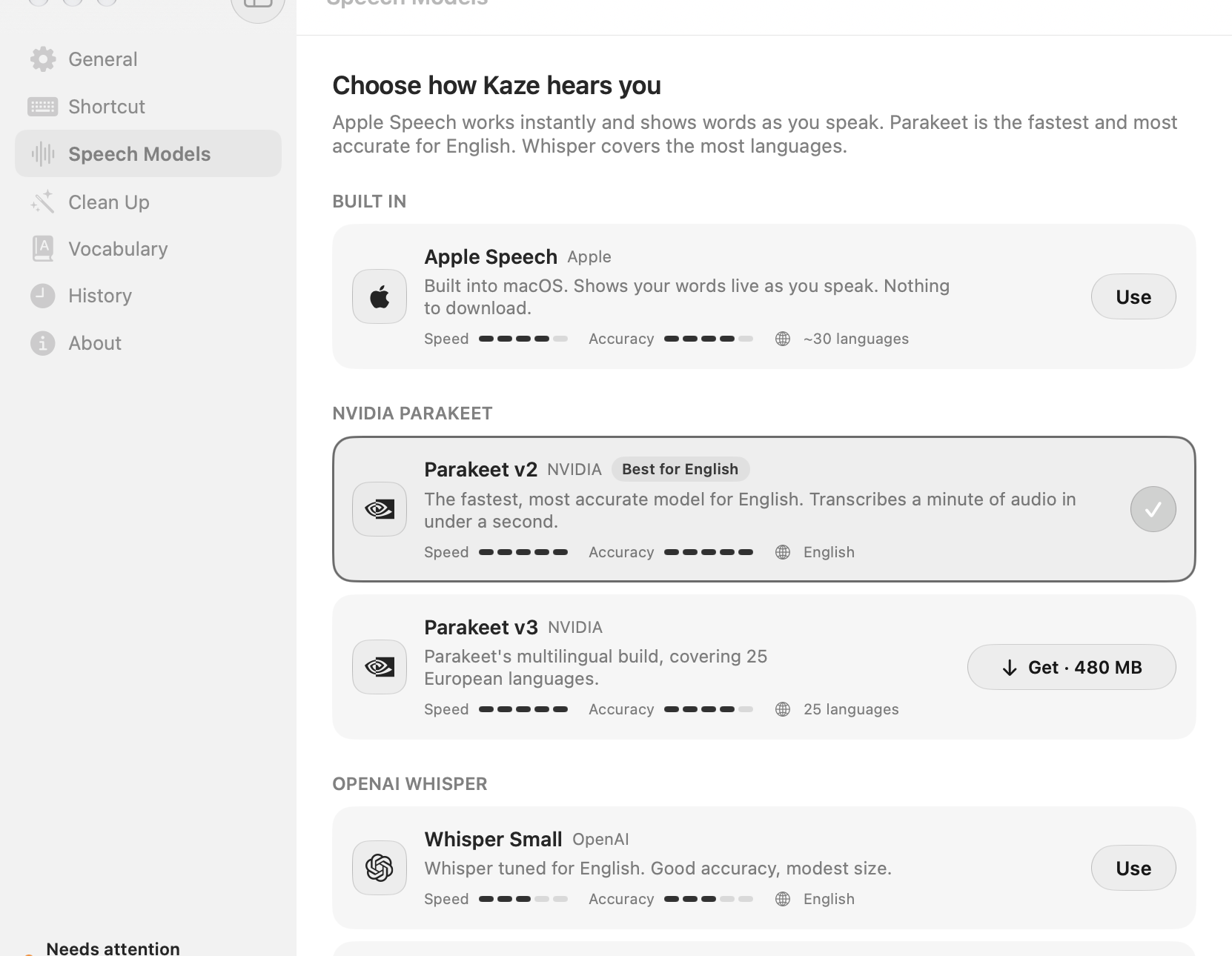
Speech recognition runs on Apple silicon through Core ML on the Neural Engine. No account, no uploads, no round trip to a server. Pick the model that fits how you talk.
The fastest, most accurate
for English
Transcribed in
0.00s
99 languages,
one shortcut
Built in. Watch your words
appear as you speak
Details
Names and jargon, spelled your way
Say a phrase, get exactly what you want
Every dictation, one click from your clipboard
Native
Built in SwiftUI for macOS 26. Liquid Glass, springy little transitions, and settings you’ll actually enjoy opening.
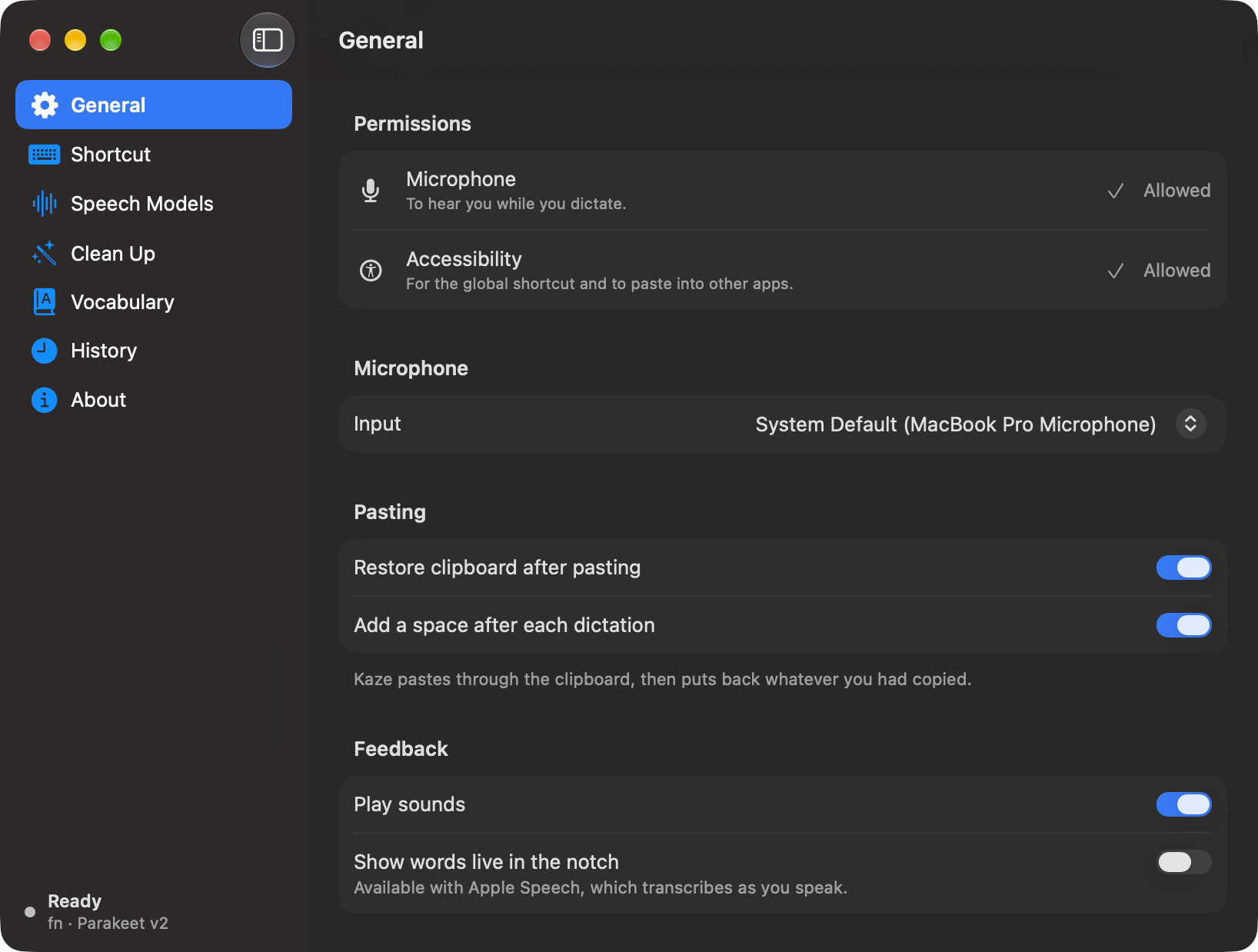
Yes. Kaze is free and open source under the MIT license. Download the latest build from GitHub Releases, or build it yourself from source.
No. Speech recognition always runs on your Mac. Clean Up runs locally too, with S1-mini. The only exception is if you choose to connect your ChatGPT plan for Clean Up: then the transcript text (never your audio) is sent to OpenAI for that one request, with storage turned off.
A Mac with Apple silicon running macOS 26. Models download once, on demand. After that, transcription works without an internet connection.
Parakeet v2 is the fastest for English, Parakeet v3 covers 25 European languages, Whisper handles 99 languages, and Apple Speech supports around 30 with nothing to download. Clean Up is English only for now.
Hold your shortcut (fn by default), talk, and let go. Kaze types what you said wherever your cursor is. Tap the shortcut once instead to go hands-free, and press esc any time to cancel.
Most dictation apps record your voice and send it to a server. Kaze does the work on your Mac’s Neural Engine, so it’s quick, private, and doesn’t need an account or a subscription.

Free, open source and private by design. Download Kaze, hold fn, and start talking.
macOS 26 · Apple silicon · MIT licensed